

The screenshot
Shows it was on, once.
A SOC 2 auditor might accept a screenshot of one laptop’s settings. A customer’s security team can tell it’s theater.
Device Management (MDM)
Oneleet MDM (mobile device management) enforces device security in the platform you already use for compliance. The Oneleet agent stays included.
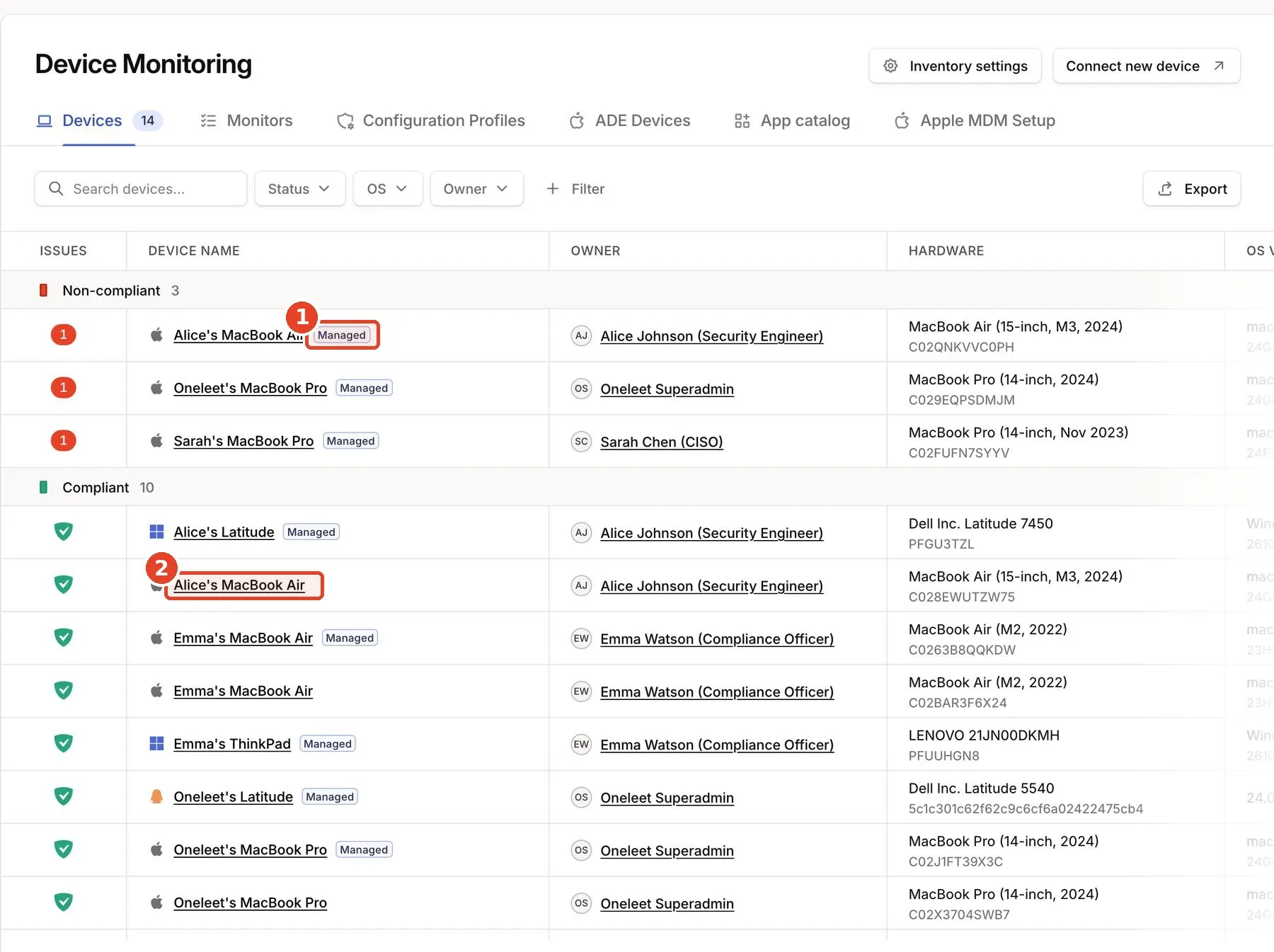
There is a better way
The screenshot
A SOC 2 auditor might accept a screenshot of one laptop’s settings. A customer’s security team can tell it’s theater.
Oneleet MDM
Security teams want to see settings enforced. Oneleet MDM keeps them on, with the evidence to back it up.
Security reviews
Based on Oneleet’s review of hundreds of security questionnaires.
Business impact
When a security review asks about devices, the answer is already there: settings enforced on every managed laptop, with the evidence to back it up.
Turn on secure defaults once, and every laptop gets the settings your auditor checks, including the next new hire’s.
MDM is a per-device monthly charge, on the contract you already have. No additional vendor to buy and renew, and no integration to maintain.
Secure defaults
One click enforces the device settings frameworks ask for, such as encryption, screen lock and firewall. You can see and adjust every setting per device.
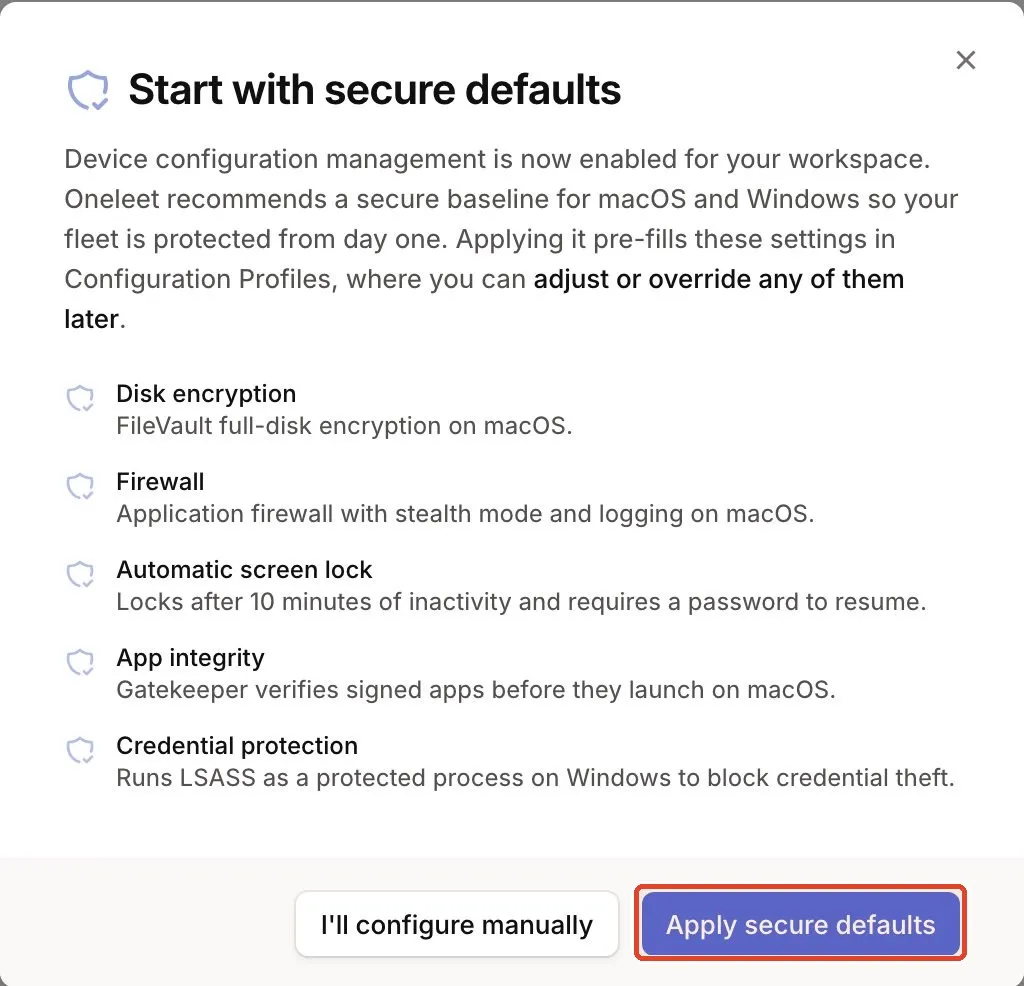
Enforced settings
FileVault, firewall, screen lock, Gatekeeper and Defender are set by policy and put back when someone turns them off.
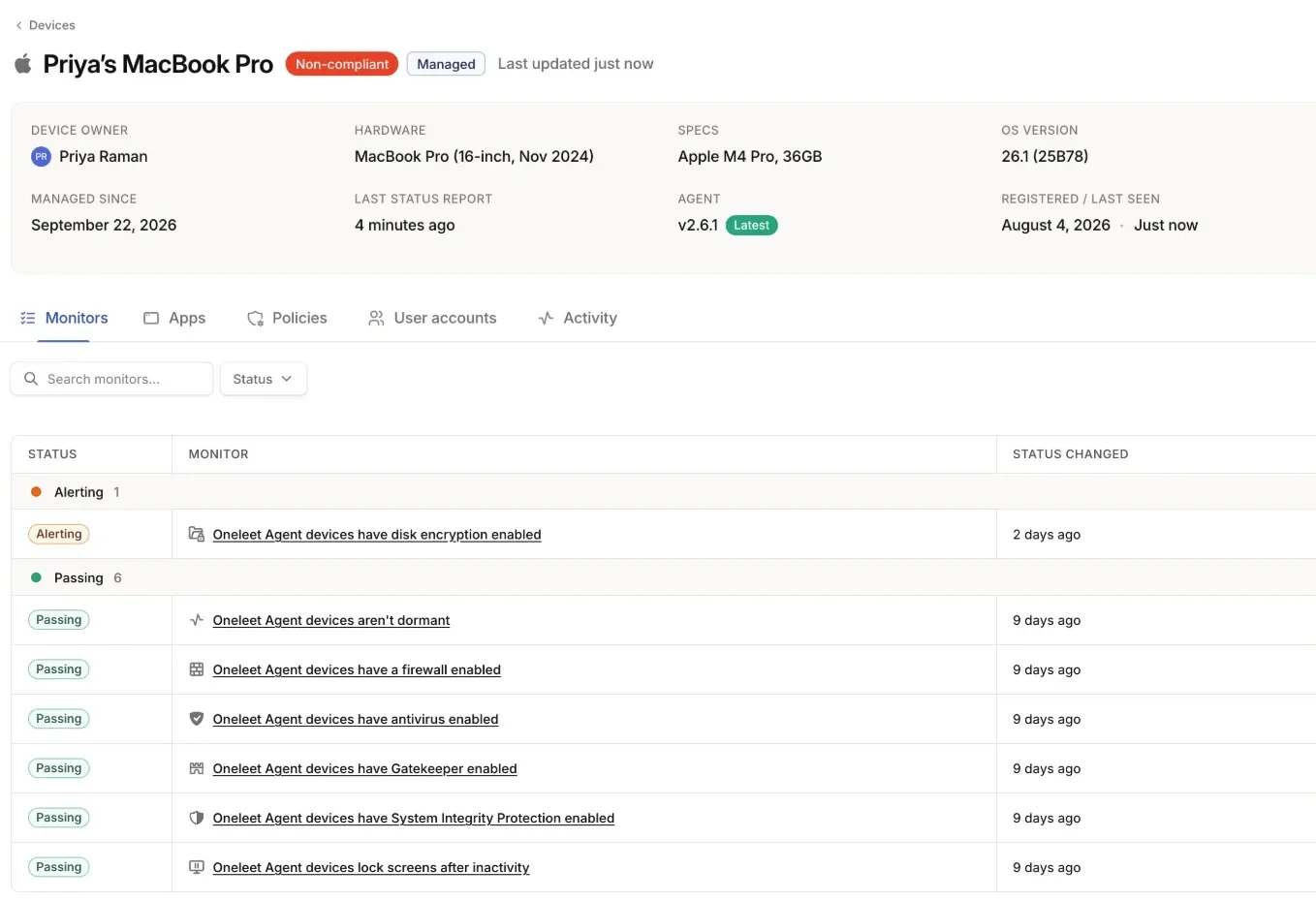 Turned off
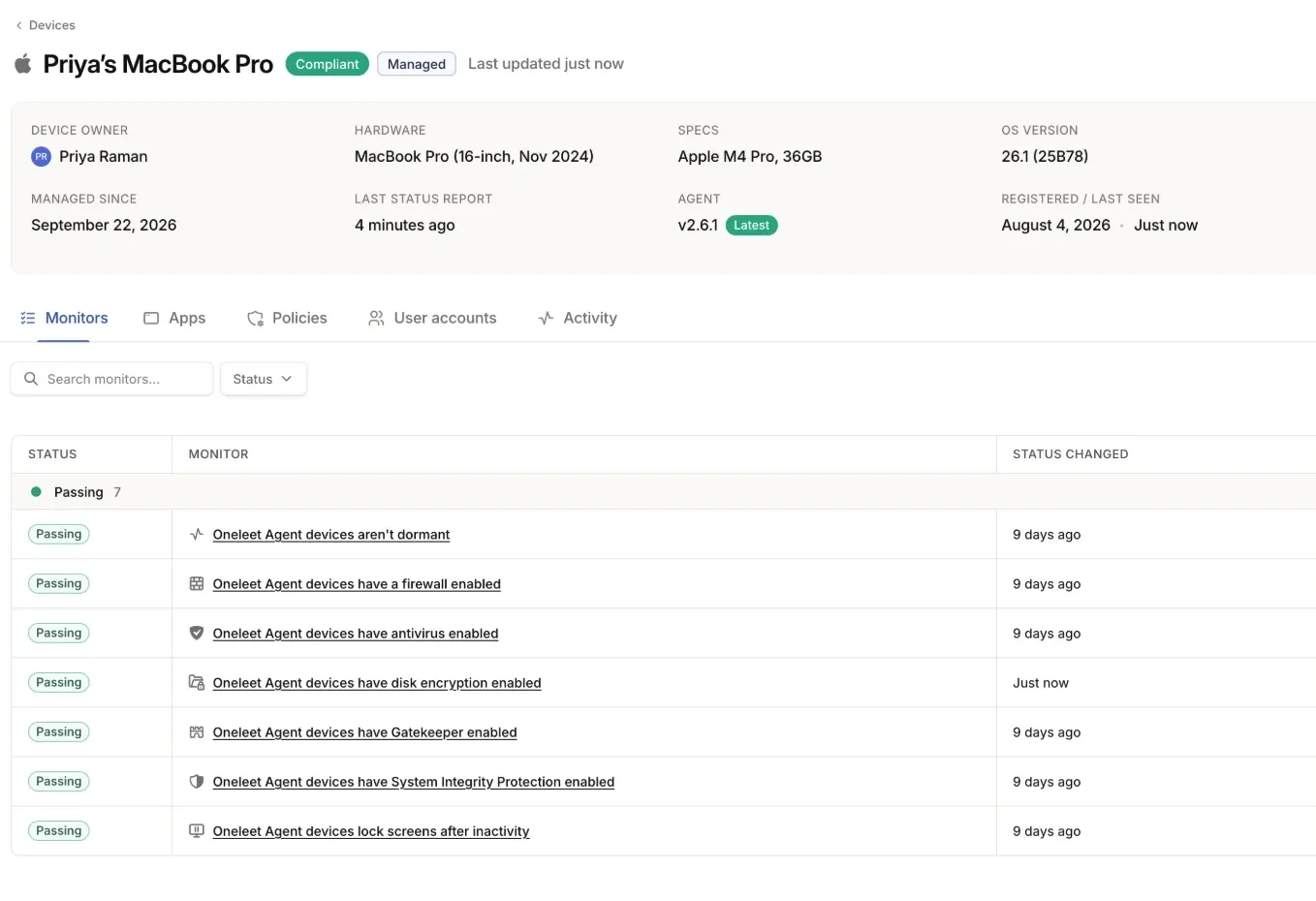 Turned back on
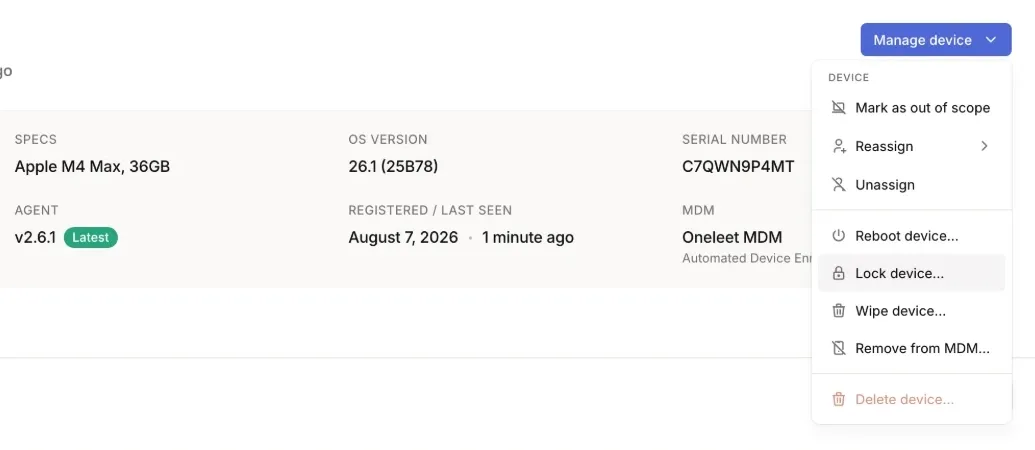
Lock, wipe and key escrow
A lost laptop stays encrypted with FileVault, with the recovery key on file. Lock a Mac or wipe a laptop once it’s back online.
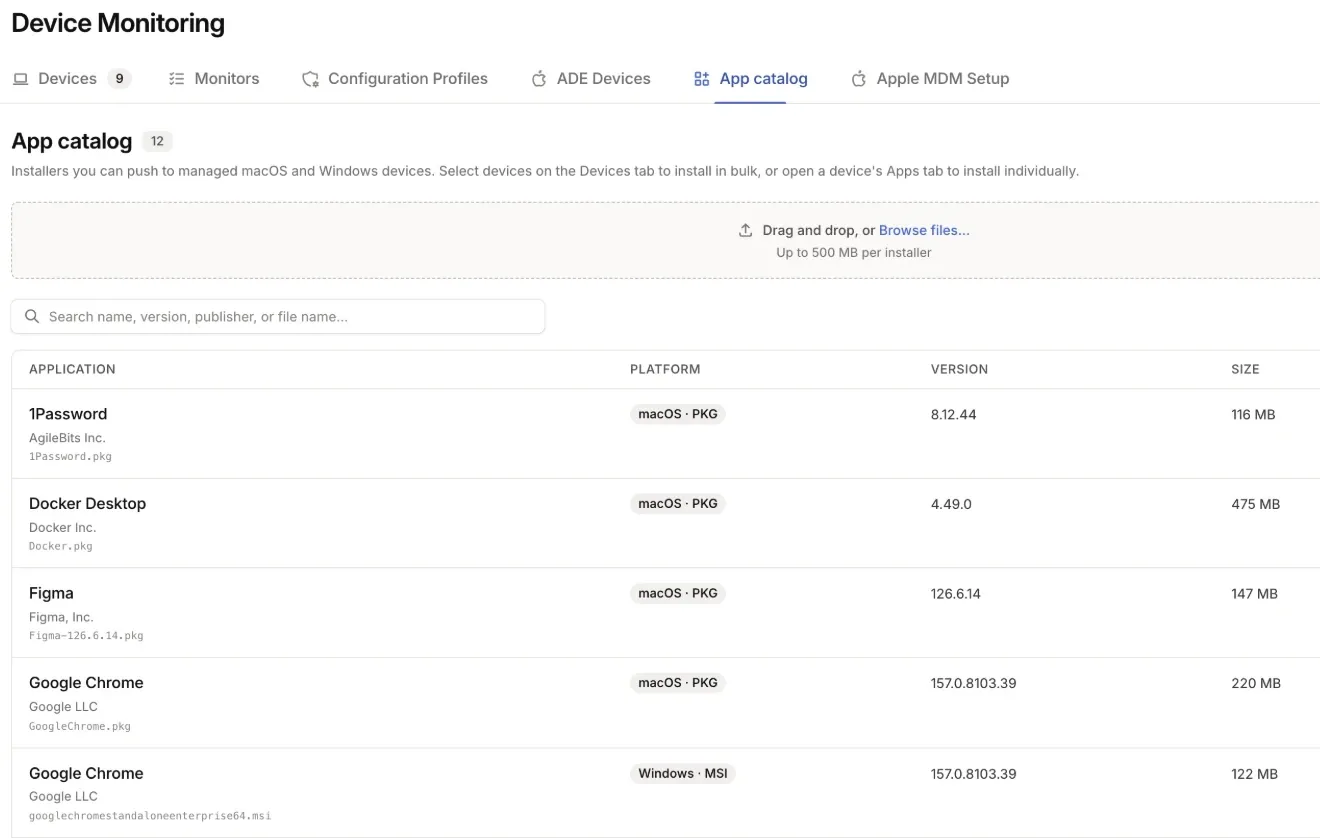
Apps and updates
Install apps from a catalog on Mac and Windows, and push Windows updates with a deadline.
From monitoring to enforcing
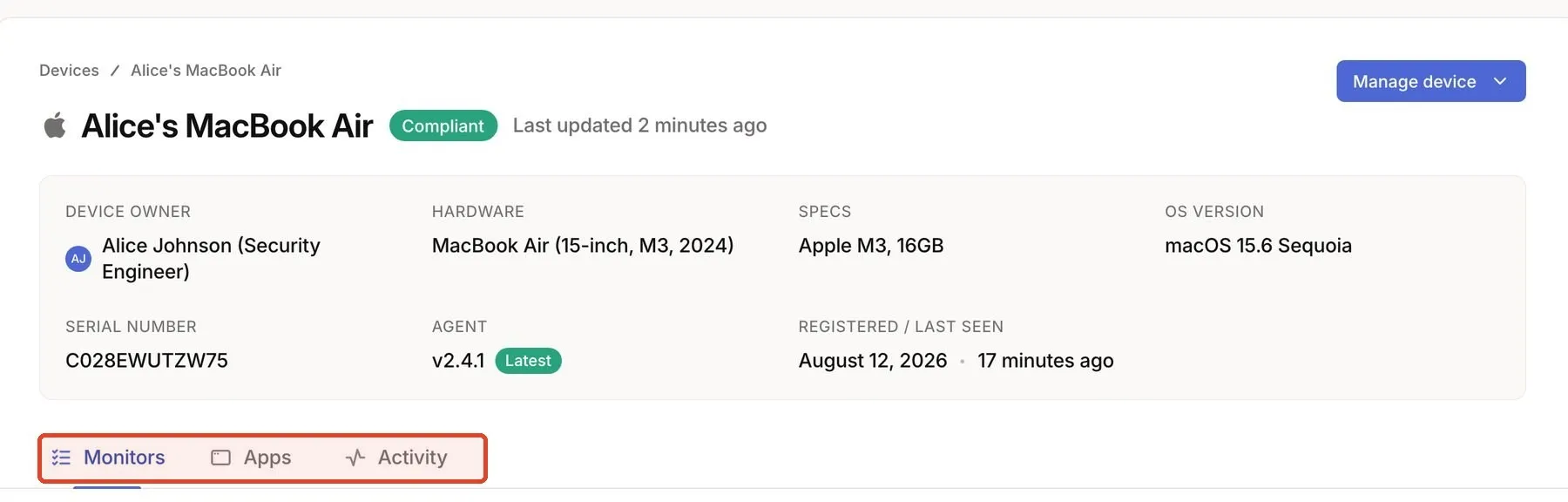
Included
Shows you which laptops are failing a check.
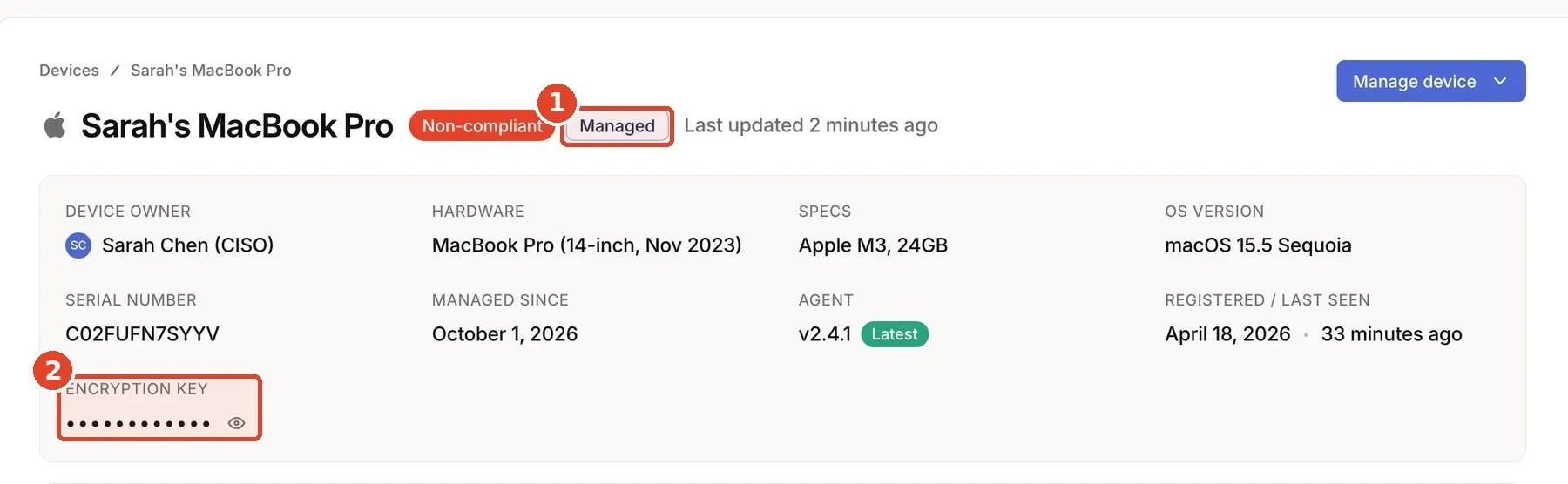
Per-device monthly charge
Fixes them, and keeps them fixed.
Comparison
Comparing options? Ask every MDM vendor these four questions.
| Ask every MDM vendor | Compliance tool + separate MDM |  Oneleet MDM |
|---|---|---|
| Does it enforce the device settings my compliance program requires? | Once someone turns each control into an MDM profile | Compliant by default. Your framework’s device requirements become enforced settings. |
| When my compliance tool flags a device, can I fix it in the same place? | No. You fix it in another vendor’s console | Fix it where you see it. The change applies to every managed laptop. |
| Are the device checks tied to my security program, in a format my auditor can use? | Your compliance tool reads them through an integration | Proof your auditor can use. Evidence of enforced settings, with an activity log for each device. |
| Does it add a second vendor, console and contract? | Yes | One vendor. One platform and one contract, charged per managed device per month. |
| Compliance tool + separate MDM |
|---|
| Once someone turns each control into an MDM profile |
| Oneleet |
| Compliant by default. Your framework’s device requirements become enforced settings. |
| Compliance tool + separate MDM |
|---|
| No. You fix it in another vendor’s console |
| Oneleet |
| Fix it where you see it. The change applies to every managed laptop. |
| Compliance tool + separate MDM |
|---|
| Your compliance tool reads them through an integration |
| Oneleet |
| Proof your auditor can use. Evidence of enforced settings, with an activity log for each device. |
| Compliance tool + separate MDM |
|---|
| Yes |
| Oneleet |
| One vendor. One platform and one contract, charged per managed device per month. |
Rolling it out
We’ll help you get enrolled. A Oneleet engineer (a real person and not a setup wizard) works with your team.
Enroll with a profile from the Oneleet portal. No wipe.
Enroll zero-touch through Apple Business Manager (ABM, now Apple Business).
Enroll through the Oneleet agent you already have. Windows takes one click.
The Oneleet agent stays included.
FAQ

No. But your customers’ security reviews ask about it: one in three security questionnaires our customers receive asks about MDM by name.
No. Existing Macs enroll with a profile from the Oneleet portal and keep their apps and files. New Macs bought through Apple or a participating reseller enroll zero-touch during setup.
Not when the Mac enrolled through Apple Business. Anyone with an admin account on a Mac can remove a profile, and Oneleet flags that Mac so you can re-enroll it.
Not to get started. Any Mac can enroll with a profile. Apple Business adds zero-touch enrollment for new Macs, and it needs a DUNS number, which usually takes 1–2 weeks. Once you have it, a Oneleet engineer can take it from there.
Mac and Windows laptops. Linux devices can be wiped or have their local user disabled. Not iPhones or iPads.
Personal devices stay monitored, not managed.
A laptop can only be in one MDM at a time, so a Oneleet engineer plans the move with your team. We can time it to your renewal date.
The agent is included and monitors your security settings. MDM enforces them, for a per-device monthly charge. See Device Monitoring.
Already a Oneleet customer? Ask your security program manager to add MDM.